
If you want to send rewards to another user, please follow the below steps:
- Login to the Extraordinary app
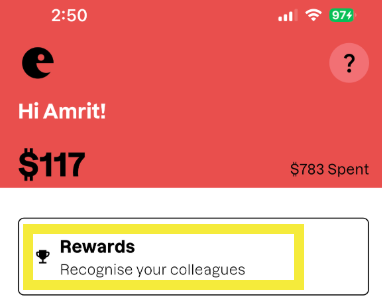
- Click on Rewards
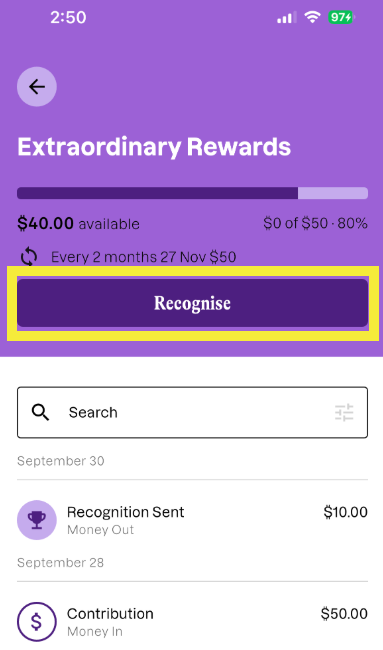
- Click on Recognise
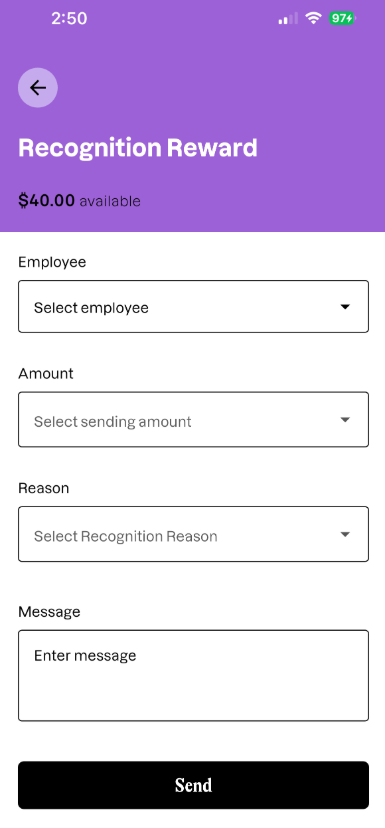
- Select Employee
- Select Amount
- Select Reason
- Add your message
- click on Send
If you want to send rewards to another user, please follow the below steps: