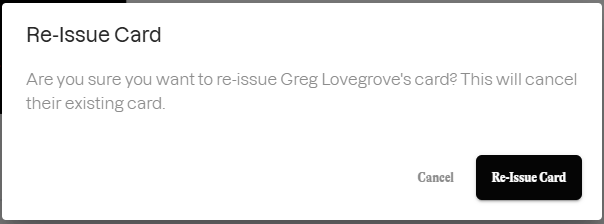
Only employers with access to the Extraordinary customer portal can re-issue User's cards. Your employees cannot order a new card from their user portal. Follow these step to issue a new card:
Log in to the Extraordinary customer portal
- Access customer portal: Use your administrator credentials to log in to the Extraordinary customer portal: https://customer.extraordinarypay.com/
Navigate to the User management menu
- Select 'Users' from the left navigation menu to go to https://customer.extraordinarypay.com/users
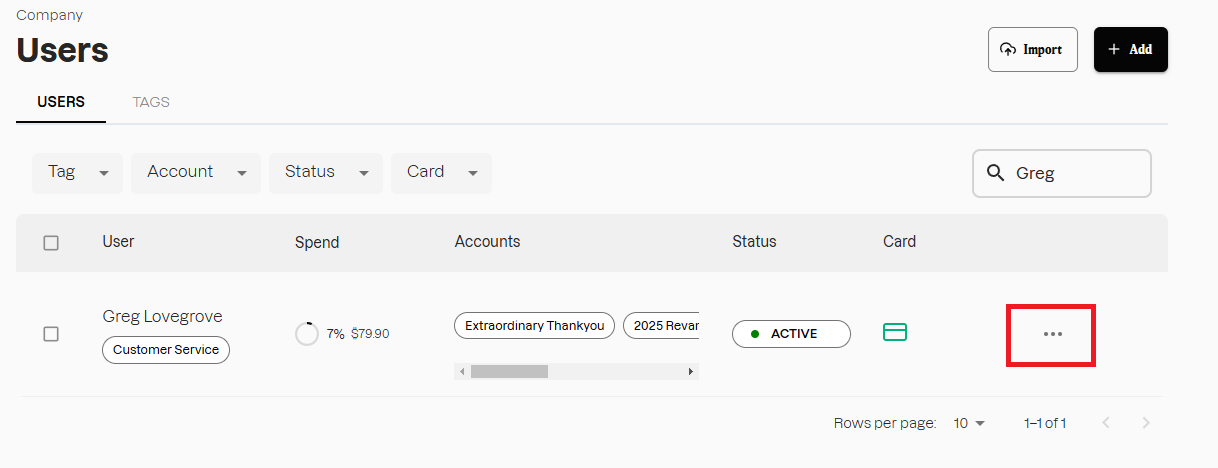
From this page you can use filters to sort users according to their assigned Tags, Account, User Status and Card Status. To find a specific User you can also use the Search function.
View the details of the required User
- Select the ellipses (...) to the right of the User
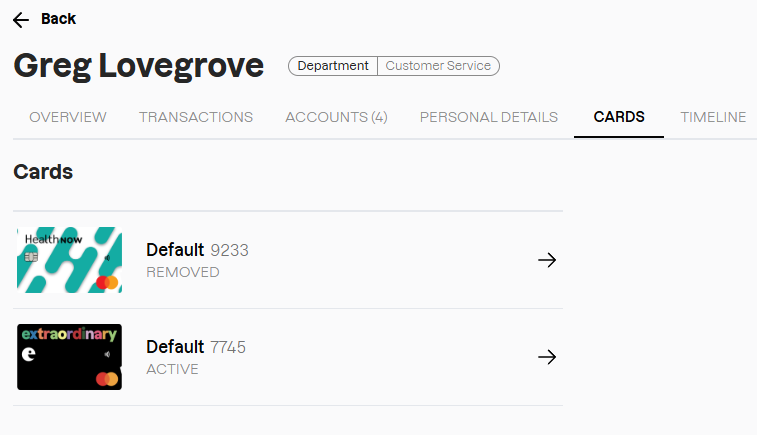
Select the 'Cards' tab
A list of all cards issued to a User. Shows card status. To access information on the User's current card select the card with status 'ACTIVE'
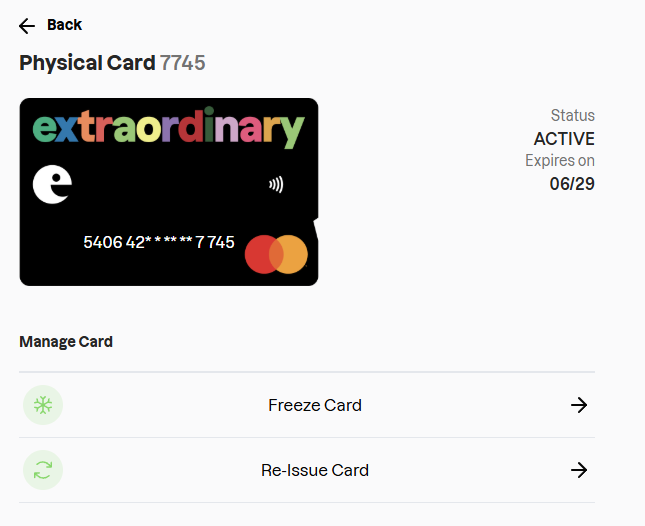
Select 'Re-Issue Card'
The 'Re-Issue Card' option will automatically cancel their old card, and order a new one to be sent to the postal address recorded on their Personal Details page.